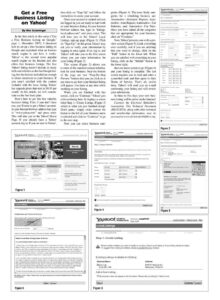
Get a Free Business Listing on Yahoo! By Wes Grueninger | In the first article in this series (“Get a Free Business Listing on Google,” page 1, December 2007), I discussed how to set up a free business listing on Google and explained what an Internet search engine is and how it works. Yahoo! is the second most popular search engine on the Internet and also offers free business listings. The free Yahoo! listing doesn’t include as many bells and whistles as the free Google list- ing, but the features included are enough to direct customers to your business. If you aren’t satisfied with the content included with the basic listing, Yahoo! has upgrade plans that start at $9.95 per month. In this article, we will concen- trate on the free basic plan. Here’s how to get this free valuable business listing. First, if you don’t have one, you’ll need to get a Yahoo! account. In your Internet browser address bar, type in “www.yahoo.com” and press enter. This will take you to the Yahoo! Home Page. If you already have a Yahoo! account, log in. If you are new to Yahoo!, then click on “Sign Up” and follow the instructions to create your account. Once your account is created and you are logged in, you are ready to start work on your business listing. In your Internet browser address bar, type in “listings. local.yahoo.com” and press enter. This will take you to the Yahoo! Local Listings sign-up page (Figure 1). Click on “Sign Up.” At this point, Yahoo! may ask you to verify your information by logging in once again. If so, log in, and Yahoo! will take you to the first screen where you can enter information for your listing (Figure 2). This screen (Figure 2) allows you to enter all the standard contact informa- tion for your business. Near the bottom of the page are two “Step-By-Step Preview” buttons that you can click on at any time to see how your finished listing will appear. Use them at any time while working on your listing. When you are finished with this screen, click on “Continue.” Yahoo! gets a bit confusing here. It displays a screen titled Step 1:—Create Listing, (Figure 3) which is what you just finished doing! Don’t panic, simply make certain the button to the left of your business name is selected and click on “Continue” to go to the next step. Now you can select business cate- gories (Figure 4). The most likely cate- gories for a rebuilding business are: Automotive— Alternator Repairs; Auto- motive—Auto Repairs; Automotive— Car Batteries, and; Automotive—Car Parts. Once you have added all the categories that are appropriate for your business, click on “Continue.” Now, Yahoo! presents you with a pre- view screen (Figure 5). Look everything over carefully, and if you see anything that you want to change, click on the “Edit” button in the lower left. When you are satisfied with everything in your listing, click on the “Submit” button in the lower right. Just one more screen to go (Figure 6) and your listing is complete. The last screen requires you to read and enter a scrambled code and then agree to their Terms of Service. That’s all, you’re done. Yahoo! will send you an e-mail confirming your listing and will review your submission. In three to five days your new busi- ness listing will be active on the Internet! Courtesy the Electrical Rebuilder’s Association. This Technical Document (MS-01207A), along with other technical and membership information, may be accessed at www.electricalrebuilders.org. Welcorne, setlist J SEARCH ‘YAHOO! MARKETING [Sian Out – My Account] Choose the listing that best fits your business. Basic Listing Enhanced Listing Featured Listing usiness description Figure 1 Local Listings Account Center – Yahoo! Local 1, Listing Details List your business now. i Here’s a sample. It’s free. declined. Potential customers fromm your area YAHOO! seit ne —— Local Listings – Yahoo! Local – Help Local Listings 2. Select Category Step 2: Category Selection Help customers find your business by choosing the category that best describes the goods or services your business provides In the category selector below, choose Master and Sub-Categories related to your products and senvices. You can also click “Need Suggestions?” to see a list of potentially relevant categories for your business type All submissions are reviewed by our editorial team. Submissions with categories that are unrelated to the business will be Fields marked with an asterisk * are required. visit Yahoo! Local every day. Primary * Automotive (M) | Altemator Repairs (y) Need Suggestions? Secondary ‘Automotive | Auto Repairs iv Add descriptive info about your Secondary Automotive (v) | Car Batteries (y) business and upload from your computer. Secondary Automotive Car Parts ly) <> Add another category No keywords or bids to manage. Edit your listing online 24/7. Step-By-Step Preview isting Page Details Page YAHOO! SEARCH Welcome, satis So MARKETING [sian Out] Local Listings – Yahoo! Local – Help Local Listings Back ee 3. Preview 1. Listing D