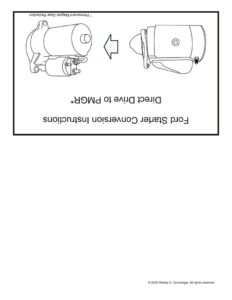
uoljonpey Jeeg joubeyy jusueWUeY , eH OWNd 0} SAU PZ! SUOI]ONJJSU] UOISJIBAUOD JOWE}S Psos © 2006 Wesley S. Grueninger. All rights reserved. Old Style Relay @O0000 1) Remove negative (-) battery cable. | ham 5 2) Follow the positive (+) battery cable to locate the starter-relay. Do not remove any . wires from these terminals Q NOTE: Ford uses two styles of relays, as shown in the drawing to the left. It is not necessary to remove the wires going to the = LY _ (S34 small terminals on the starter relay (see drawing) New Style Relay eooeece e 3) Locate the cable between the direct-drive starter O- . and the starter-relay. 4) Disconnect it from the starter-relay terminal and move it to the same terminal as the positive (+) battery cable. Two cables will now be connected to the same starter-relay terminal. The starter-relay should now look like the drawing to the left. 5) Remove the direct-drive starter and clean dirt and corrosion from the transmission mounting flange. 6) Install the PMGR starter. 7) Connect the starter cable (which you removed from the direct-drive starter) to the upper terminal of the PMGR starter solenoid. You may have to enlarge the hole in the cable-end to fit over the PMGR starter solenoid stud. CAUTION! You will destroy the solenoid cap if you over- tighten the nut. The installation should now look like the drawing to the left. Y 8) Install a 5/16″ ring-terminal on one end of a length of eee ee 4 10-gauge wire and connect it to the now-empty terminal = =e) | : on the starter-relay. 9) Run the 10-gauge wire to the “S” terminal of the PMGR starter solenoid. NOTE: The “S” terminal may be a 1/4″ press-on spade or a 6mm stud. 10) Install the appropriate end and connect it to the “S” terminal. CAUTION! If the “S” terminal is the stud-type, do not over-tighten. Be sure to route all wires to prevent chafing or contact with hot engine parts. 11) Reconnect the negative (-) battery cable. Wiring is now complete and should look like the drawing for STEP FOUR. © 2006 Wesley S. Grueninger. All rights reserved.